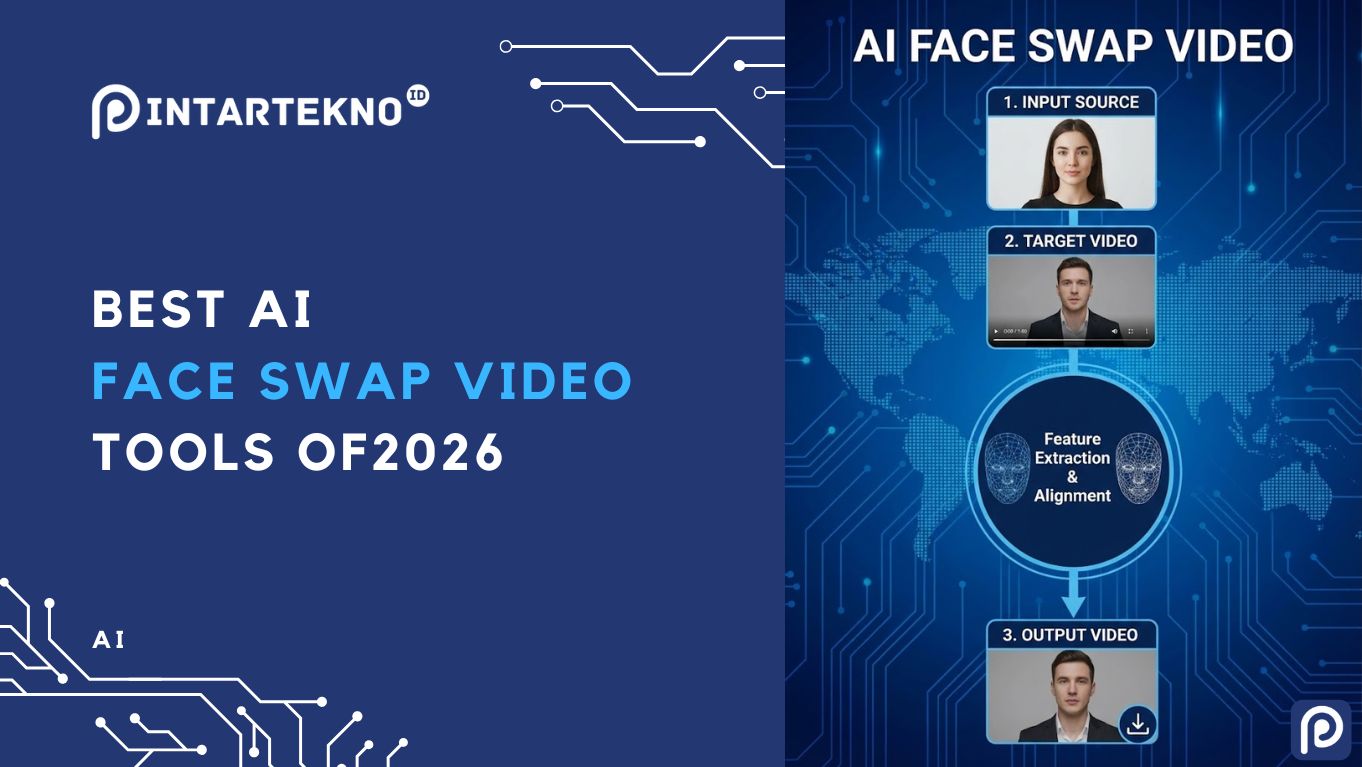
As of June 2026, AI face swap technology has matured from quirky novelty to a practical content creation staple. Creators and marketers can now seamlessly replace faces in video clips with high realism and consistency. But with so many options available, choosing the right tool can be daunting. The best face-swapping tool for a quick social media gag isn’t the same as the one for a professional advertising campaign. In this listicle, we break down the top face swap video tools of 2026, comparing their use cases, features, pricing, and more, so you can find the perfect fit for your needs without wasting time.
Below is a quick comparison table of the best face swap tools at a glance, followed by in-depth reviews of each tool. We’ve tested each option in real-world scenarios, swapping faces in marketing videos, memes, and multi-person clips, to evaluate output quality, ease of use, speed, and any quirks. Every section is packed with practical insights (no fluff!) to help time-constrained creators, marketers, and developers quickly identify the right solution. Let’s dive in.
- Best Tools at a Glance
- Magic Hour - AI Face Swap & Video Creation Platform (Best Overall)
- DeepSwap - Quick & Simple Face Swapping at Scale
- Reface - Fun Face Swap App for Memes and Social Media
- FaceFusion - Open-Source Face Swap for Tech-Savvy Users
- Vidmage - Affordable Face Swap for Longer Videos
- Picsi.ai - High-Fidelity Face Swaps with On-Device Privacy
- GoEnhance.ai - Face Swap for Developers and Multi-Modal AI Projects
- Methodology: How We Tested These Tools
- Face Swap Trends and Landscape in 2026
- Key Takeaways - Which Face Swap Tool Should You Use?
- FAQ
Best Tools at a Glance
| Tool & Homepage | Use Case (Best For) | Modalities | Platforms | Free Plan | Price |
|---|---|---|---|---|---|
| Magic Hour (Winner), swap faces in a video | Integrated pro video workflows (face swaps + editing) | Video, Image | Web | Yes | Free: Free forever Creator: ~$15/mo or ~$10/mo (billed annually) Pro: ~$45/mo or ~$30/mo (billed annually) Business: ~$99/mo or ~$66/mo (billed annually) |
| DeepSwap (DeepSwap.ai) | Fast, large-batch face swapping | Video, Image, GIF | Web | Trial only | ~$9.99/mo (20 credits) |
| Reface (Reface mobile app) | Viral social media clips, GIFs | Short Video, GIF, Image | iOS, Android | Yes (watermark) | ~$30/yr (Pro) |
| FaceFusion Open Source) | Privacy & offline use (tech users) | Video, Image | Windows, macOS (local) | n/a (100% free) | Free |
| Vidmage (Vidmage.ai) | Budget-friendly realistic video | Video, Image, GIF | Web, macOS app | Yes (90s/day) | $9.99/mo (400 credits) |
| Picsi.ai (Powered by InsightFace) | High-fidelity swaps with privacy | Video, Image, GIF | Web, iOS, macOS | Yes (limited) | Basic from $9.99/mo; Ultra $34.99/mo (video) |
| GoEnhance (GoEnhance.ai) | Developers & API integrations | Video, Image | Web, API | Yes (limited) | From ~$20/mo (subscription) |
Table: Top face swap video tools of 2026, with their ideal use cases, supported content types, platform availability, free plan info, and starting prices. Each tool has unique strengths – read on for detailed breakdowns.
Magic Hour – AI Face Swap & Video Creation Platform (Best Overall)
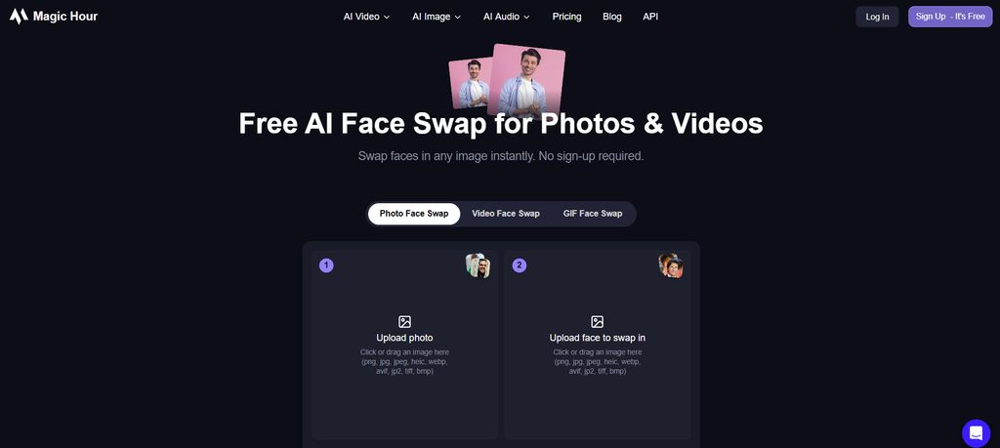
Magic Hour is an all-in-one AI video platform built for creators that offers face swapping as part of a broader toolkit. It’s our #1 pick because it balances ease of use, high-quality results, and an end-to-end workflow better than any other option. Magic Hour isn’t just a gimmick to paste one face onto another – it’s a complete creative solution where you can swap a face and then immediately continue editing that video (adding animations, avatars, voiceovers, etc.) in the same platform. This makes it ideal for YouTubers, marketers, and small production teams who want to streamline their process.
Pros:
- Excellent face swap realism and consistency across frames – faces stay aligned even during movement.
- Works with both videos and still images (flexible input).
- Part of a larger creation suite (AI avatars, image-to-video, filters), reducing “tool hopping.”
- Free plan available (great for testing) and affordable paid tiers.
- Smooth web-based interface – no installation or high-end PC needed.
Cons:
- Not a single-purpose app- the wide feature set can be overkill if you only need simple swaps.
- Rendering can be slower for longer or very high-resolution videos.
- Advanced settings exist but may require some experimentation to fully master.
Pricing: Magic Hour offers a Free plan (with modest usage limits) to get started. The Creator plan is $15/month (or $10/month paid annually), which includes higher video limits and priority processing. For heavy users, a Pro plan at $45/month (or $30/month paid annually) unlocks full resolution and faster renders. (Pricing note: Magic Hour’s entry tier is one of the most affordable among pro-grade tools, especially considering similar tools often start at higher costs or use pricey credit systems.)
In our hands-on tests, Magic Hour produced some of the most convincing face swap videos. For example, in a 30-second talking-head clip with varied lighting, Magic Hour maintained consistent skin tones and expressions where some other tools introduced flickering or “uncanny” artifacts. The ability to easily swap faces in a video and then use Magic Hour’s other features to edit images with AI or add effects in one workflow is a huge time-saver. Overall, if you need a reliable face swap tool for content that actually ships (marketing videos, ads, short films, etc.), Magic Hour is the best overall choice for 2026.
DeepSwap – Quick & Simple Face Swapping at Scale
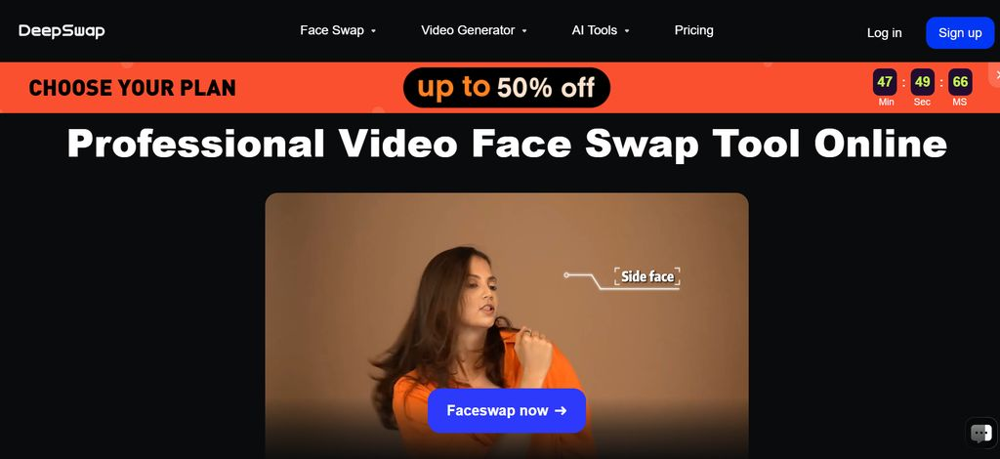
DeepSwap is a dedicated online face swap service that focuses on doing one thing well: swapping faces in your footage as fast as possible. It’s popular for users who need to churn out lots of face-swapped clips or memes without a complicated setup. The workflow is straightforward – you upload the video (or image/GIF) and the face you want to insert, and DeepSwap’s AI quickly replaces the face. In our experience, DeepSwap’s appeal is its speed and automation.
Pros:
- Very fast generation – great for quick turnaround or trying out ideas.
- Simple, beginner-friendly interface- minimal learning curve.
- Handles bulk swapping: can process multiple videos or faces if you have credits, useful for meme creators or A/B testing different swaps.
- Supports photo, video, and even GIF face swaps in one platform.
Cons:
- Limited editing or fine-tuning controls – it’s a “what you upload is what you get” approach.
- Quality can suffer on complex scenes (e.g. rapid motion, tricky lighting) – faces might blur or misalign on challenging footage.
- No broader video tools (no text, filters, etc.), so you may need other software for post-production.
- Free usage is very limited (essentially a one-time trial)- heavy use requires buying credits or a subscription.
Pricing: DeepSwap uses a credit-based model. As a new user you might get a couple of demo credits, but essentially it’s a paid service. One credit swaps ~15 seconds of video. Plans typically start around $9.99/month for 20 credits, with higher tiers or pay-as-you-go packages available. For instance, 20 credits (about 5 minutes of video) costs roughly $19.99 if purchased standalone. There isn’t a true free plan beyond maybe a trial swap – so budget accordingly if you have lots of content to process.
In summary, DeepSwap is best viewed as a single-purpose utility for face swapping. It shines for quick, low-complexity tasks: think fun face-swapped memes, GIFs, or short clips where you just need a fast result and perfect realism is not critical. We found DeepSwap’s output looks convincing for straightforward videos (e.g., a person speaking with a clear view of their face) and was generated in mere seconds. However, for longer or more important projects, its limitations (like occasional frame flicker and lack of editing workflow) became apparent. If all you care about is swapping faces quickly and you’re not concerned with advanced options, DeepSwap is a solid choice. Just be ready to purchase credits for anything beyond a couple of tries.
Reface – Fun Face Swap App for Memes and Social Media
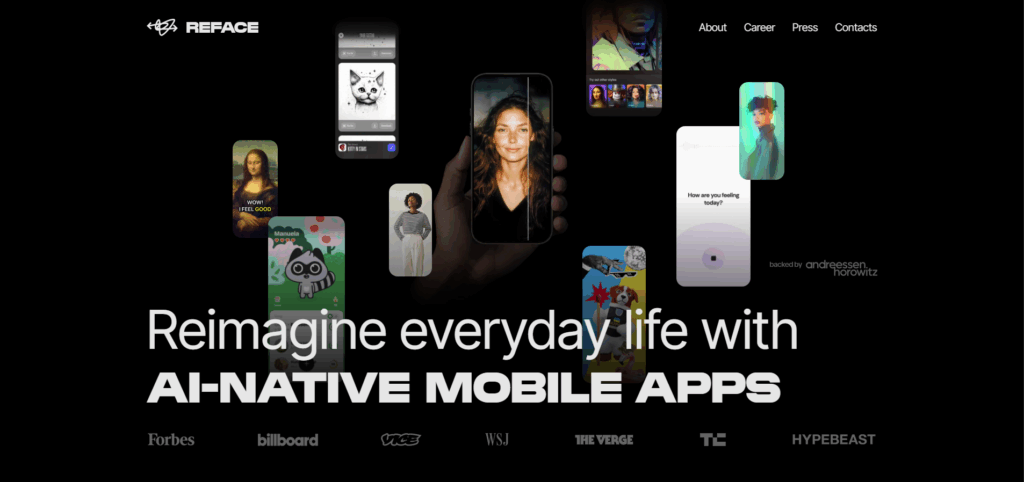
Reface is the well-known mobile app that went viral for putting your selfie into famous movie clips and GIFs. It’s essentially the go-to tool for casual face swap fun. If you want to see yourself as a celebrity in a popular meme or make a goofy face swap to share with friends, Reface excels at that. The app is optimized for speed and entertainment, not realism in full-length videos.
Pros:
- Extremely easy to use – import a selfie, pick a short clip or GIF from the library, and get a shareable face swap in seconds.
- Massive built-in content library (movie scenes, reaction GIFs, etc.), updated regularly with trending clips.
- Fast results with decent quality for the intended purpose (humorous, obviously edited clips).
- Offers other AI features like avatar creation and face filters for extra fun.
Cons:
- Not meant for serious or long-form video projects – it’s limited to short clips and templated content. You can’t upload your own long video to swap, only use what’s provided or short user videos.
- Free version has watermarks and ads. The output will carry a Reface logo unless you upgrade.
- Privacy policy and consent features are minimal- it’s a consumer app, and it doesn’t explicitly prevent misuse (so use responsibly).
- Quality is good for jokes but not “Hollywood-real” – for example, face edges might blur slightly or expressions can look a bit off, which is fine for a meme.
Pricing: Reface is free to download and use with basic features. The free tier includes ads and watermarks on your creations. For power users, the Pro subscription is around $30/year (prices may vary by region) which removes ads/watermarks and unlocks the full content library. There may also be a weekly or monthly payment option (commonly around $3-$5 per month), but the annual plan is the best value if you use it often.
Use Case: Reface is best for time-constrained content creators or social media managers who need quick, light-hearted content. For example, marketers running an Instagram account might use Reface to engage followers with a timely meme (imagine swapping your CEO’s face into a trending movie clip for a humorous LinkedIn post). It’s also popular for individuals just having fun. Just remember: Reface is not suitable for realistic face swaps in original videos – it’s all about short-form, comedic results. Use it when you want speed and laughs, not when you need polish or full control.
FaceFusion – Open-Source Face Swap for Tech-Savvy Users
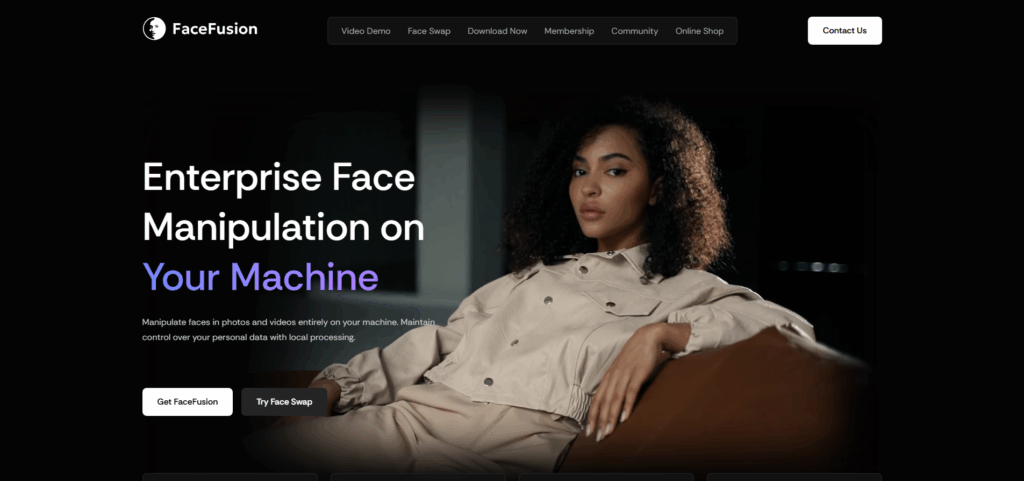
FaceFusion is an open-source face swap software that has gained a strong following among developers and advanced hobbyists. It’s essentially a free alternative to commercial deepfake programs, offering high-quality results if you’re willing to run it on your own machine. FaceFusion runs locally (no cloud servers), which means you maintain complete control and privacy over your data. This tool is ideal for those who are a bit more technical and want maximum fidelity without monthly fees.
Pros:
- 100% free and open-source. No subscriptions, no credit packs – just download it and run.
- Excellent output quality on both images and videos – with the right settings, it can produce very realistic swaps on par with paid tools.
- All processing is on your local PC, so private data never leaves your computer (big plus for sensitive projects).
- Offers advanced controls and even a scripting API for those who want to tweak the AI models or integrate into a pipeline.
- Backed by a responsible AI license (OpenRAIL) which explicitly forbids malicious use, reflecting an ethical stance by the developers.
Cons:
- Setup can be involved. You may need to install Python, use the command line, or have a compatible GPU. It’s not a one-click app for beginners.
- Steeper learning curve – casual users might find the interface (or lack thereof) confusing. It’s improved recently with some UI, but still not as straightforward as web apps.
- Requires a decent computer with a powerful graphics card for video processing- otherwise, it can be very slow.
- No official “support” or customer service – help comes from community forums (which are active but may require patience).
Pricing: Completely free. There’s no paid tier at all. The only “cost” is your time to install and possibly hardware investment if you want faster processing (e.g. an NVIDIA GPU to speed up AI computations).
In testing FaceFusion, we were impressed by the output quality – on a high-end PC, it produced face swaps that were sometimes even more detailed than cloud services, especially on high-resolution footage. The lack of watermarks or usage limits is refreshing. However, for an average creator on a deadline, the time spent fiddling with settings might not be worth it. This tool is best for developers, researchers, or creators with technical skills who demand total privacy and control. If you fit that niche, FaceFusion can be the most powerful tool in your arsenal. For everyone else, a managed cloud tool (like Magic Hour or DeepSwap) will be far more convenient.
Vidmage – Affordable Face Swap for Longer Videos
Baca Juga
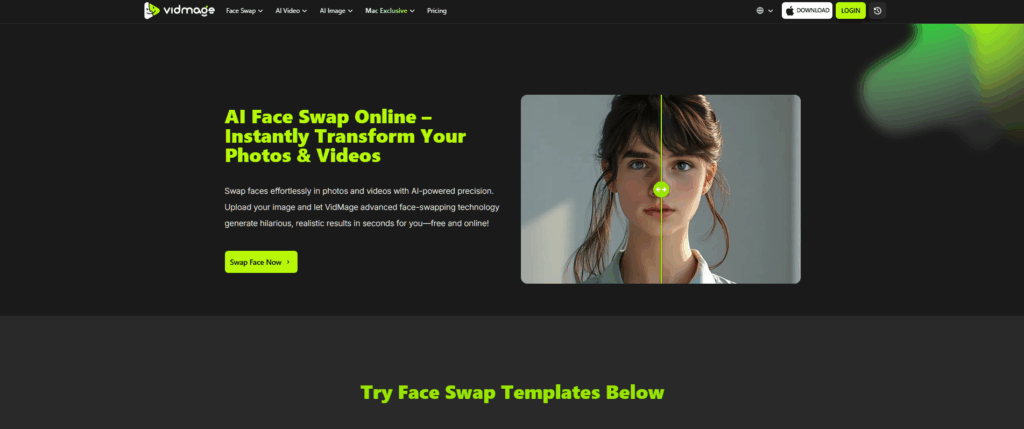
Vidmage is a newer entrant that has quickly built a reputation for realistic video face swaps on a budget. It offers both a web app and a downloadable Mac client, focusing on making deepfake-quality swaps accessible to everyday creators. We’ve found Vidmage to hit a sweet spot for those who need better video quality than the meme apps, but at a lower price than some pro tools.
Pros:
- Delivers high blending accuracy and stable results in videos – faces generally look well-integrated, even in motion or multi-face scenes.
- Freemium model: You can try it with a free plan (though limited) to see results before paying.
- Competitive pricing – the paid plan is only ~$10 a month, notably cheaper than many alternatives.
- Supports up to 4 faces in one video frame, which is great for group scenes or swapping multiple people at once.
- Emphasizes privacy: the company claims to use invisible watermarks to mark AI-generated content (for transparency) and has ethical usage guidelines.
Cons:
- The free plan limits are tight: e.g., ~90 seconds of video per day and outputs carry a watermark. Enough to experiment, but not for any substantial project.
- No Windows app (as of 2026) – there’s a Mac desktop app and the web tool. Windows users must use the browser version (which worked fine in our tests).
- Interface is basic. While easy to use, it lacks some polish and advanced options seen in other tools.
- Being newer, it doesn’t have the same community size or third-party tutorials yet, so finding support or tips might be harder.
Pricing:Free Plan – includes a small amount of video processing per day (with watermark). Paid Plan – ~$9.99 per month which gives around 400 credits (sufficient for roughly 4-5 minutes of video swaps at good quality). No long-term contract required, you can pay monthly. There may also be an annual option with a slight discount. Importantly, $10/mo is quite accessible, making Vidmage one of the most budget-friendly choices for full video swapping.
Ideal Use Case: If you’re a content creator who occasionally needs to swap faces in videos (like a funny edit for a YouTube video or a small marketing project), and you want better quality than free meme apps without committing to pro-level costs, Vidmage is a great choice. In our evaluation, a 1-minute 1080p video processed with Vidmage looked convincing – skin tones matched, the face tracked well with only minor artifacts in fast motion. It’s not as feature-rich as Magic Hour, but it gets the core job done cheaply. Think of Vidmage as the “80/20″ solution: it covers about 80% of use cases at 20% of the price.
Picsi.ai – High-Fidelity Face Swaps with On-Device Privacy
Picsi.ai stands out for two main reasons: remarkably realistic face swap quality and a strong emphasis on user privacy/ethics. This tool (and its companion mobile app) is powered by the InsightFace library, and it takes a hybrid approach: simple swaps in the cloud, but heavy processing on your device for videos. The result is that your raw videos don’t get uploaded in full, mitigating privacy concerns. Picsi is often cited as a gold standard for responsible AI face swapping in 2026.
Pros:
- Some of the most photorealistic results in both photos and videos. It preserves facial expressions and lighting extremely well, rivaling “deepfake” quality.
- Privacy-first design: for video swaps, the intensive processing runs locally on your phone/computer, so the full video isn’t sent to servers. Only a mathematical face representation is uploaded, and source faces are discarded after processing.
- Clear ethical stance: Terms of Service explicitly ban non-consensual use and public figure swaps, and they allow people to opt-out by blocking their own face from the platform. Great for peace of mind.
- Multi-face support (swap up to 4 faces in one image/video) and even a Photoshop plugin for integrating into pro workflows.
- Mobile apps available (iOS/macOS) for real-time swapping and an array of creative modes.
Cons:
- The free tier is quite limited. You get daily free credits for simple image swaps, but video face swaps require the highest subscription (Ultra plan). The free outputs are also watermarked.
- Expensive for full functionality: to do unlimited or high-res video swaps, you’ll need the top plan (see pricing below).
- While it’s user-friendly, casual users might be overwhelmed by the variety of features (there are many modes, settings, and even Discord bot integration – great for power users, but more than a casual meme-maker might need).
- The strict policies mean you must use it responsibly – which is a “pro” for society, but if someone attempts something against the rules, expect account action or blocks.
Pricing: Picsi operates on a freemium model. You can use it free for basic photo swaps and small GIFs with daily credit allowances. Paid memberships are tiered: Basic and Pro plans for increasing image/GIF capabilities, and the Ultra Plan ($34.99/month) which is required to unlock video swaps. In other words, to fully swap faces in videos using Picsi, you’re looking at about $35 per month – a significant cost, but it comes with the advanced privacy and quality benefits. They offer both direct subscriptions (Stripe/Patreon) and even a Discord bot for those who prefer that interface.
Use Case: Picsi.ai is best for creators who demand top-notch quality and are willing to pay for it, especially if they handle sensitive content. For example, a filmmaker editing a short film who needs a face swap shot but wants to ensure everything is done ethically and privately would lean towards Picsi. In testing, we found Picsi’s video swaps to be extremely convincing – in some samples, it was hard to tell any AI was involved. If budget isn’t a deal-breaker and you appreciate the platform’s ethical safeguards, Picsi.ai is a fantastic face swap tool in 2026.
GoEnhance.ai – Face Swap for Developers and Multi-Modal AI Projects
GoEnhance.ai is a powerful AI video platform that appeals to developers, technical creators, and those looking to integrate face swapping into larger workflows or apps. In addition to face swapping, GoEnhance offers a suite of generative video tools (text-to-video, video upscaling, stylization, etc.), and it’s designed with an API-first approach. We included GoEnhance in this list because it’s one of the top choices if you need programmatic access or a broad range of AI video capabilities that includes face swapping.
Pros:
- All-in-one platform: Face swapping is just one feature- you also get things like video-to-anime conversion, text-driven video generation, and more. This can replace multiple tools if you’re doing complex projects.
- API access: You can get developer API keys to automate face swaps and other functions in your own app or pipeline. Ideal for those building AI into products or running batch jobs.
- Supports high-end models (they integrate models from Runway, Meta, etc.) to give cutting-edge results across different tasks.
- Free tier available for testing (includes some free tokens) so you can experiment before paying.
- Good for both beginners and pros: the web interface is straightforward, but advanced users can tap into the API and more granular controls.
Cons:
- The sheer breadth of features means it’s not as focused or streamlined solely for face swapping as some specialized tools. If you only care about face swaps and nothing else, a simpler tool might be easier.
- Pricing can get confusing as it’s token-based across various services. Heavy usage, especially via API, could rack up costs (make sure to monitor your token spend).
- The privacy policy is more oriented to enterprise/API users, and it mentions that generated content may be cached for up to a week. This is not unusual, but it’s something to note for sensitive projects.
- Being a relatively advanced platform, time-constrained marketers might find more straightforward tools sufficient unless they specifically need the extra capabilities.
Pricing:Freemium – sign up and you get a small number of free tokens to try out the features. Paid plans – as of 2026, a standard subscription is around $20-$30 per month, which gives a bucket of tokens (e.g., ~1600 tokens/month) that you can spend on different features. Each face swap or video generation will consume tokens based on length/quality. There might be higher plans (e.g., $40/mo for more tokens or priority speed) and an enterprise tier for large-scale use. The key point: it’s affordable to start, but costs scale with usage.
Use Case: GoEnhance is perfect if you’re a developer or a company looking to integrate face swapping (and other AI video tricks) into your own products or workflows. For example, an app developer could use GoEnhance’s API to add a face-swap feature in their social media app without building the AI from scratch. It’s also great for creators who like to experiment with new AI video tools – you have a sandbox of features to play with. During our evaluation, we found the face swap quality solid (comparable to DeepSwap on straightforward videos, and benefiting from being part of a bigger toolkit). The ability to combine features (say, swap a face and then turn the video into an anime style) was very interesting. However, if you’re not going to use those extra features, you might opt for a more dedicated face swap tool.
Methodology: How We Tested These Tools
We approached this face swap tool roundup with a hands-on, real-world testing methodology. Over several weeks in 2026, our team tried each tool using a common set of scenarios:
- Sample Videos: We used a mix of footage – a talking head clip (for evaluating lip sync and expression preservation), an action scene with quick movements, and a group video with multiple faces. This let us see how each tool handled different challenges (motion, multiple people, lighting changes, etc.).
- Face Sources: We used high-quality portrait photos as the source faces, and in some cases, we also tried using another video as the face source (for tools that support it).
- Free vs Paid: Wherever possible, we started on the free plan to gauge what an average user might get without paying. Then we moved to a paid tier for that tool to assess the best possible output quality and features. This was important because some tools drastically improve with paid options (e.g., higher resolution outputs, no watermarks, longer video support).
- Metrics: We evaluated the visual realism of the face swaps (did it look natural or fake?), the temporal consistency (did the face stay stable frame to frame?), and artifacting (any obvious glitches or blur). We also noted the processing time for each tool on a standard internet connection. Additionally, we considered usability factors – how easy was it to get the result, how intuitive is the interface, and whether any additional editing tools are included.
- Ethical Features: Given the increasing importance of consent and safety, we reviewed each tool’s policies or features for preventing misuse (for example, Picsi’s bans on public figure swaps, or watermarking of outputs on some platforms).
By standardizing our tests, we ensured a fair comparison. That said, no automated benchmark tells the whole story – we also incorporate our subjective experience of using the tools in a creator context (time saved, convenience, learning curve). The insights in this article are a blend of these test results and practical considerations for creators, marketers, and developers.
Face Swap Trends and Landscape in 2026
The face swapping landscape in 2026 is dynamic and evolving quickly. Here are some key trends shaping this space as of mid-2026:
- 1. Integration into Creative Suites: There’s a noticeable shift from standalone face swap apps to face swap features being part of larger platforms. Creators want fewer tools in their workflow, not more. For instance, Magic Hour and GoEnhance incorporate face swap alongside editing, avatar generation, and more – signaling that face swap is now a standard feature, much like color correction or trimming.
- 2. Rise of AI Avatars and Virtual Personas: Face-swapping tech is increasingly used beyond prank videos – it underpins the creation of AI avatars for virtual presenters or characters. Instead of just pasting one person’s face on another’s body for a joke, companies are using it to create virtual spokespeople (with consent, using an actor’s face mapped onto an avatar). Tools that support voice, motion, and identity together (e.g., Magic Hour’s broader workflow or HeyGen’s avatar focus) are gaining traction. The line between face swap and fully generated humans is blurring.
- 3. Ethics and Consent are Front and Center: The deepfake concerns have led to more responsible practices. Many top tools now have explicit rules and safeguards – for example, requiring you to affirm you have rights to images you upload, banning certain content, or embedding watermarks for detection. Users and platforms are much more aware in 2026 that face swaps can be misused, so there’s an industry push toward consent-aware design. If you’re a creator, you should also be mindful: always get permission if using someone else’s likeness, and stick to ethical use.
- 4. Quality Expectations are Higher: Audiences in 2026 are no longer impressed just because you swapped a face – they expect it to look good. The “uncanny valley” is closing. Modern tools use advanced AI (like diffusion models with facial landmark tracking) to achieve near-seamless realism, and anything less stands out. This means new tools are focusing on consistency (no flicker, no weird eye glitches) over just novelty. As a creator, using a higher-quality tool can actually impact your content’s credibility – a janky face swap might do more harm than good if it distracts viewers.
- 5. Real-Time and Live Swaps: We’re starting to see face swapping enter live video. Early examples include live streaming software or AR effects that can swap faces on the fly. This is still niche and often lower quality than pre-rendered swaps, but it’s a space to watch. It could open up new interactive content opportunities (imagine live appearances as different characters). While our list above focuses on tools for recorded videos, keep an eye out for this emerging trend.
Overall, the face swap tool landscape is expanding but also consolidating: many options exist, yet the best ones are those adapting to these trends – integrating into larger ecosystems, focusing on ethical use, and delivering reliability for real creative work.
Key Takeaways – Which Face Swap Tool Should You Use?
Every tool in this list has its strengths. Here’s a quick takeaway to help you match your specific need with the right face swap solution:
- For professional marketing videos and consistent quality: Go with Magic Hour. It’s built for creators and teams who need reliable, high-quality results across many projects. Great for ads, branded content, and when you want face swap as part of a bigger workflow.
- For quick, one-off swaps or meme content:DeepSwap is your friend when speed matters more than perfection. Also consider Reface if it’s a trending GIF or short clip for social media – Reface is unbeatable for rapid meme generation on your phone.
- For budget-conscious users who still want good video swaps:Vidmage offers a nice middle ground. It’s affordable and the quality is solid for the price. Perfect for hobbyist YouTubers or small businesses testing the waters with AI video.
- For the utmost privacy and control:FaceFusion (open-source) is the top pick. If you don’t mind a technical setup, nothing leaves your computer and it’s completely free. Similarly, Picsi.ai is excellent for privacy with pro quality, if you’re willing to pay – it literally processes video on-device for you.
- For developers and product integration:GoEnhance.ai is best if you plan to integrate face swapping into your app or need an API. It’s also great if you want to experiment with other AI video effects alongside face swapping.
- For creative experimentation with AI avatars and more: Magic Hour and GoEnhance both shine, but Magic Hour is a bit more user-friendly if you want to try avatars, image-to-video, etc., in a guided way. GoEnhance suits those who like to tinker with multiple AI tools in one place.
Remember, the “best” tool ultimately depends on your use case. A TikTok creator making comedy videos has very different needs from a filmmaker doing a face replacement in post-production. Use the above as a guide to zero in on the one that aligns with your project, and take advantage of free trials where available to test them out.
FAQ
Is it legal and ethical to swap someone’s face in a video?
It depends on consent. Technically, you have the tools to swap faces, but using someone’s likeness without permission can violate privacy, rights of publicity, or even new deepfake laws in some regions. Ethically, you should always have the person’s consent if you plan to publish or share a face-swapped video of them. For public figures, some tools outright ban usage (e.g., Picsi won’t let you use famous people’s faces). In short: for personal fun with friends who agreed, go for it- for any commercial or public content, get written permission from anyone whose face you use.
Can I use face swap video tools for commercial projects (YouTube, ads, etc.)?
Yes, many creators do, but check each tool’s terms. Some free tools (like Remaker AI’s free version) prohibit commercial use in their terms of service. Paid plans of reputable tools generally allow it. Magic Hour, DeepSwap, Vidmage, etc., are used in commercial content, but you’ll need to pay for the watermark-free high-res outputs. Always export in the highest quality offered if it’s for a professional project. And as noted above, ensure you have rights to the faces you’re swapping in. When done responsibly, face swapping can be a great asset in video production, marketing campaigns, and content creation.
Which face swap tool gives the most realistic results?
In our experience, Magic Hour provides the best overall realism for video when factoring in motion and consistency – faces stay stable and expressions are preserved well. Picsi.ai is also extremely realistic, especially for single images or short clips, thanks to its advanced AI (InsightFace) and on-device processing. If you’re an expert, DeepFaceLab (the open-source deepfake framework) can produce Hollywood-level results, but it requires a lot of skill and time. For most users not training their own models, Magic Hour and Picsi are top-tier for realism, with DeepSwap and Vidmage close behind for simpler scenarios. Reface is more for fun- its results are good, but intentionally a bit on the playful side (you can usually tell it’s a Reface meme).
Do I need a powerful computer to use these face swap tools?
Not for the cloud-based services. Magic Hour, DeepSwap, Vidmage, Picsi (web version), and GoEnhance all run on cloud servers – you can use them from a web browser on a typical laptop, and all the heavy AI processing happens remotely. Your computer just needs to handle the upload/download of videos. On the other hand, if you opt for open-source local tools like FaceFusion or DeepFaceLab, then yes, hardware matters. For those, a strong GPU (NVIDIA recommended) with ample VRAM will significantly speed up processing- without it, swapping faces in a long video could take hours or days. Mobile apps like Reface or Picsi’s iOS app run on your device but are optimized for it – a recent smartphone will handle them fine. In summary, casual and intermediate users can rely on cloud tools and don’t need special hardware, whereas power users going the DIY route should invest in a decent PC setup.